
Designing the whole service, not just the system
Most architects design systems. The better ones design services. A system is a set of components that perform functions; a service is the whole experience a user goes through to reach an outcome, and the system is only one part of it. Design the system without understanding the service and you end up with something that works in the demo and struggles the moment real people and real operations hit it.
You'll come away with:
- The difference between service thinking and system thinking, and why most architectures only cover part of the job
- How to turn a user journey into components, data, integrations and the failures you have to handle
- A practical way to design the front stage and back stage as connected but separable parts
- What operational design, support and the service lifecycle demand from your architecture long before go live
Service thinking versus system thinking
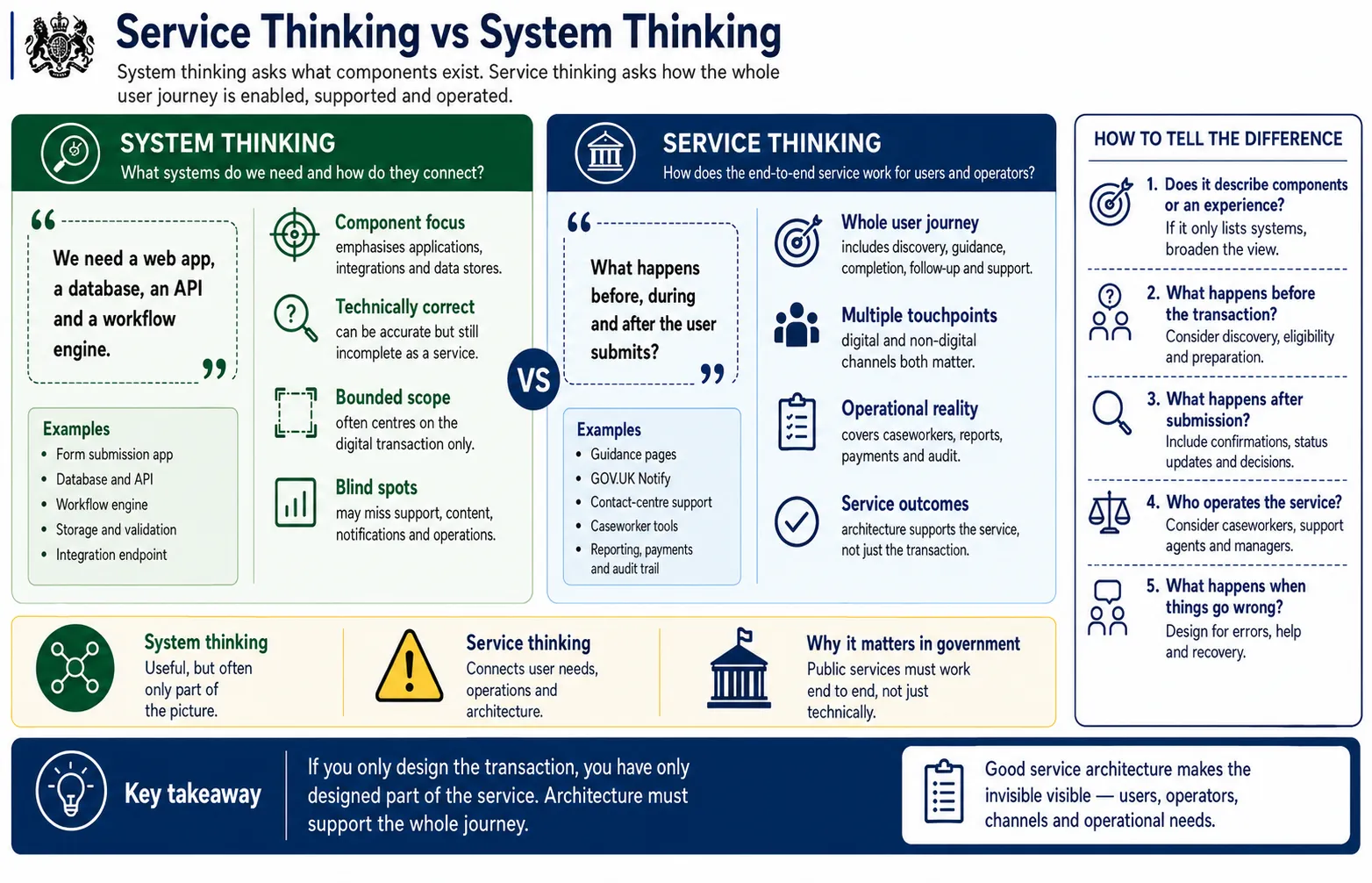
Two ways of framing the same problem, and what each one quietly leaves out.
Here is the uncomfortable arithmetic. An architect who designs the form, the database, the API and the workflow engine for a grant application has built something that works. They have also designed maybe a third of the service. The rest never made it onto the diagram: the guidance that helps someone work out whether they qualify, the confirmation email, the way they check progress three weeks later, the caseworker screen, the management reporting, the payment run, and the helpline that picks up when all of that fails.
System thinking asks what components you need and how they connect, and it answers that question well. The trouble is that users do not experience components. Someone applying for an energy efficiency grant experiences a journey that starts on a GOV.UK search result and ends, weeks later, with money in their account. If your architecture only accounts for the part where they press submit, it is technically correct and operationally incomplete, and the second of those is the one that generates angry letters to MPs.
A technically correct system is not the same as a complete service. The work users never see is usually the work that decides whether the service succeeds.
Mapping user journeys through architecture
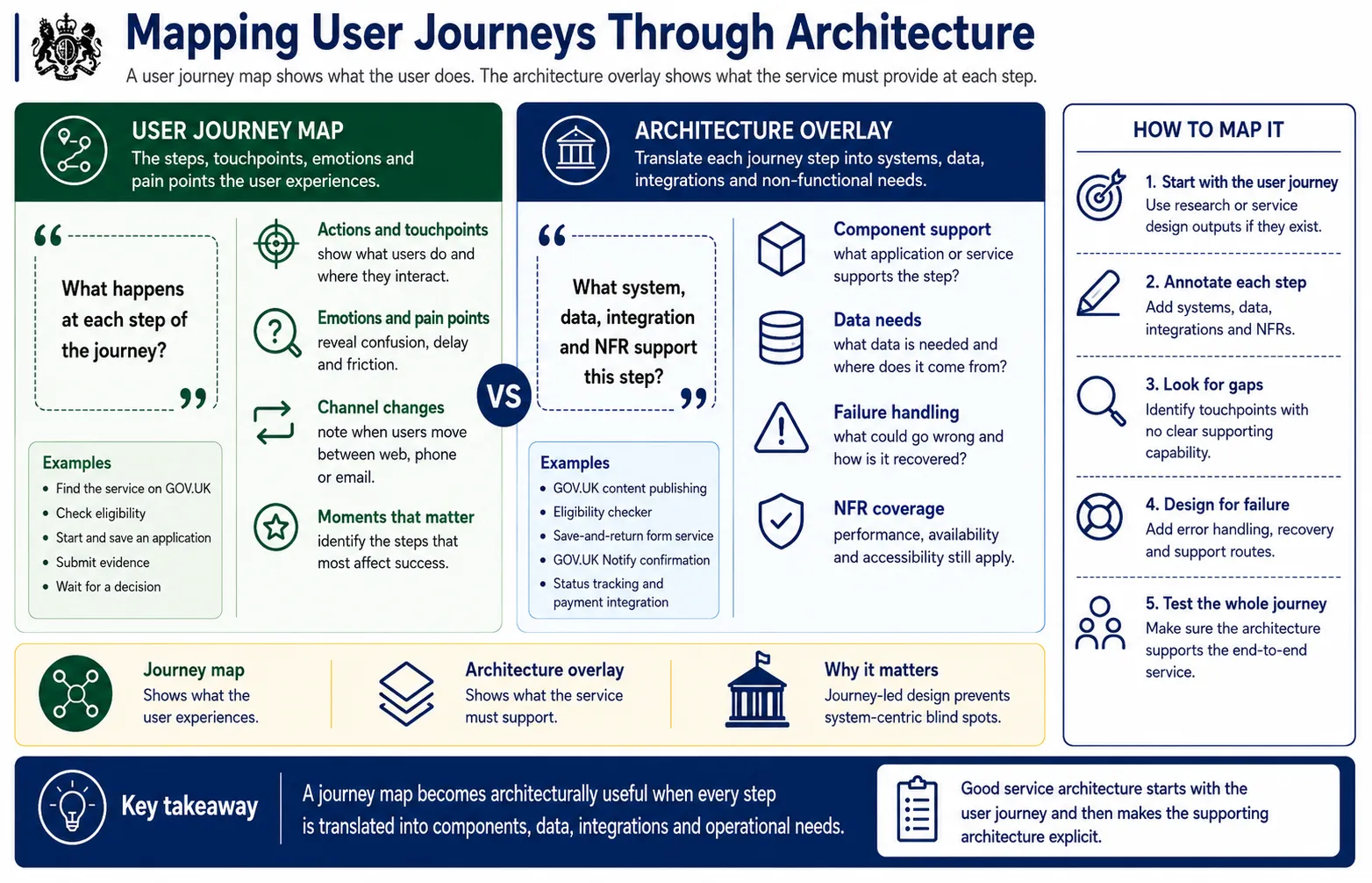
Each step a user takes becomes a question about components, data, integration and what happens when it breaks.
The reason this method earns its place is that it catches the things a component diagram hides. Start from the user researcher's journey map if there is one, and walk each step with a short interrogation: what supports this, where does the data come from, what does it connect to, and what happens when it fails. That last question is the one most architectures skip.
It is easy to design the happy path where the form validates, the payment clears and the email sends. The expensive work sits behind the step that just says "user waits for a decision", because under it you find a caseworker system, a status that has to be visible without a phone call, and a notification that has to fire whether the answer is yes or no. Map the journey honestly and these requirements announce themselves. Skip it and you meet them in private beta, when a researcher watches someone refresh an empty status page for the fourth time.
The journey shows you what has to be designed, not just what has to be built. Every step is a component, a data need, an integration and a failure you have not handled yet.
Front stage and back stage architecture
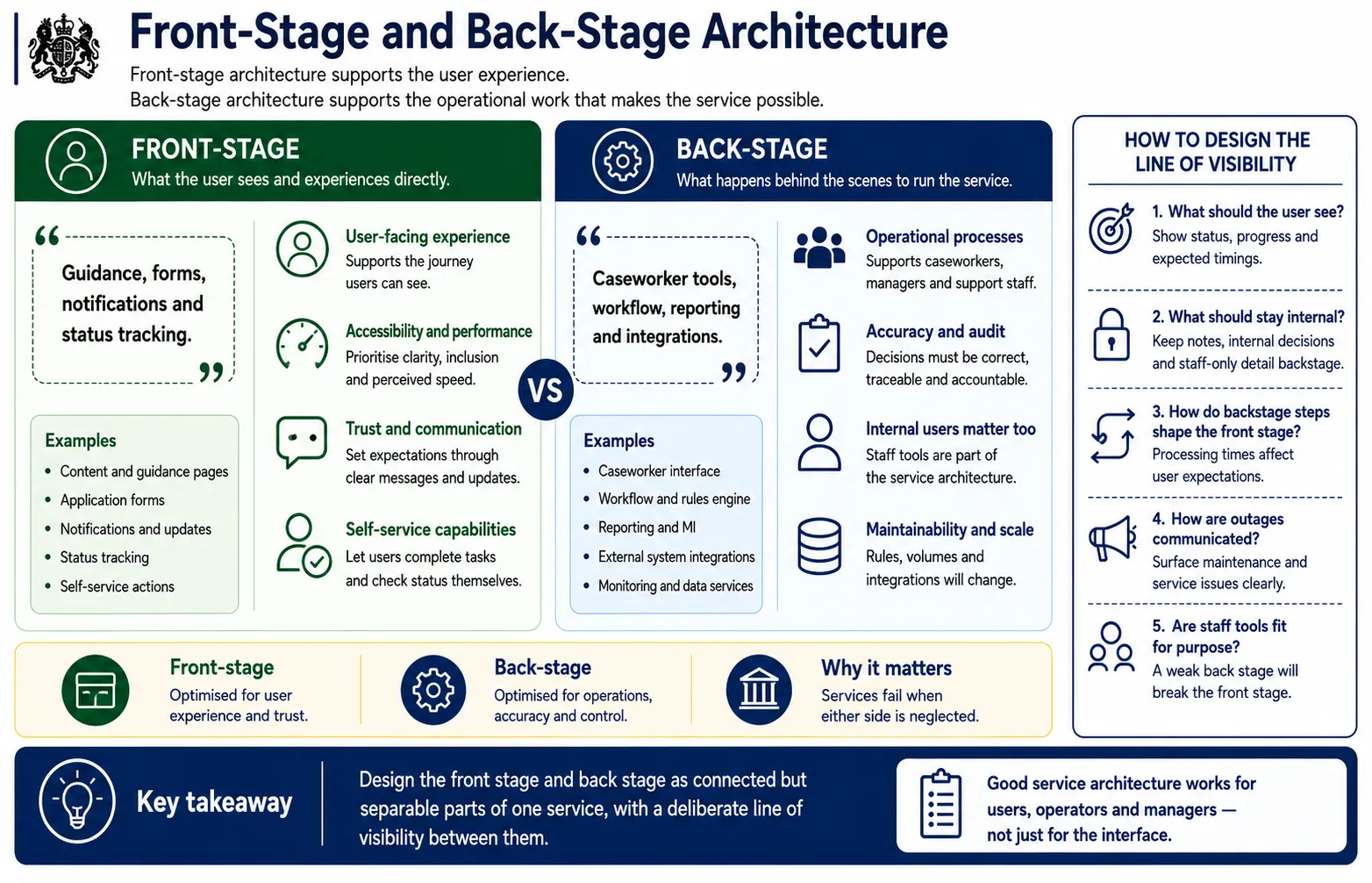
What users see, what keeps the service running, and the line you draw between the two.
The theatre metaphor does real work here. The audience sees the performance; they never see the stage management that makes it possible, and they should not have to. Front stage is the bit users touch, so it lives or dies on whether someone can actually finish their task. Back stage is where the caseworkers, the workflow rules and the reporting sit, and it lives or dies on whether the people running the service can do their jobs without fighting the tools.
The mistake worth naming is treating that second group as an afterthought. Caseworkers are users. Support agents are users. A service with a polished public front end and a caseworker screen that takes nine clicks to approve an application will pass its assessment and then fall apart under load, because the humans behind the line of visibility cannot keep up.
The other half of the work is deciding what crosses that line. Users should see that their application is under review and roughly how long it takes. They should not see the internal assessment notes, the individual caseworker's name, or the fact that the queue is four hundred deep. Where you draw that line is an architecture decision, not an accident.
A beautiful front end fails if the people behind it cannot operate the service. Design the back stage with the same care you give the part the public sees.
Operational design: the forgotten architecture
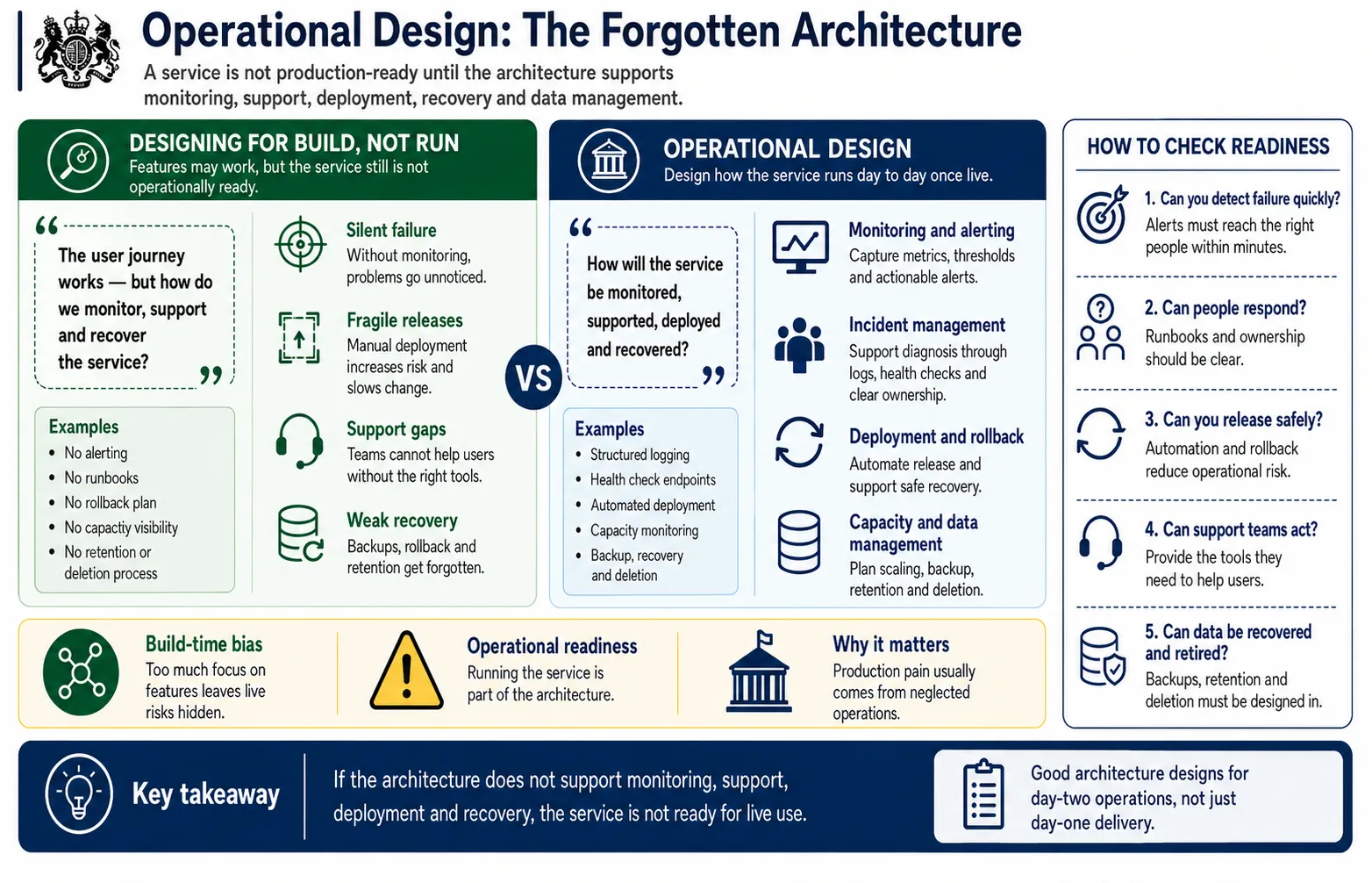
How the live service is monitored, supported and kept alive once the build is finished.
This is the part of the job that gets squeezed when the deadline tightens, and it is the part that generates the three in the morning phone call six months later. Operational design is everything that decides how the service behaves once it is live and the project team has moved on. A service with no monitoring does not tell you when it breaks; it waits for a user to tell you, which means your first warning is a complaint.
The questions are unglamorous and they all carry architecture consequences. How do you know it is working. Who gets the alert and what do they do with it. Can you ship a fix on a Friday afternoon without taking the whole thing down. Can a support agent retry a failed payment, and if so, what stops them retrying it five times.
None of this can be retrofitted cheaply. Structured logging, correlation IDs, health checks and a deployment pipeline that can roll back are decisions you make while designing, or scars you carry afterwards. Treat the readiness checklist as a gate, not a wish list. A service that does everything the user needs and cannot be operated safely is not ready, however good the demo looked.
A feature complete service is not live ready until someone can run it, watch it, fix it and recover it. Operational design is architecture, not an afterthought.
The whole service, not just the digital part
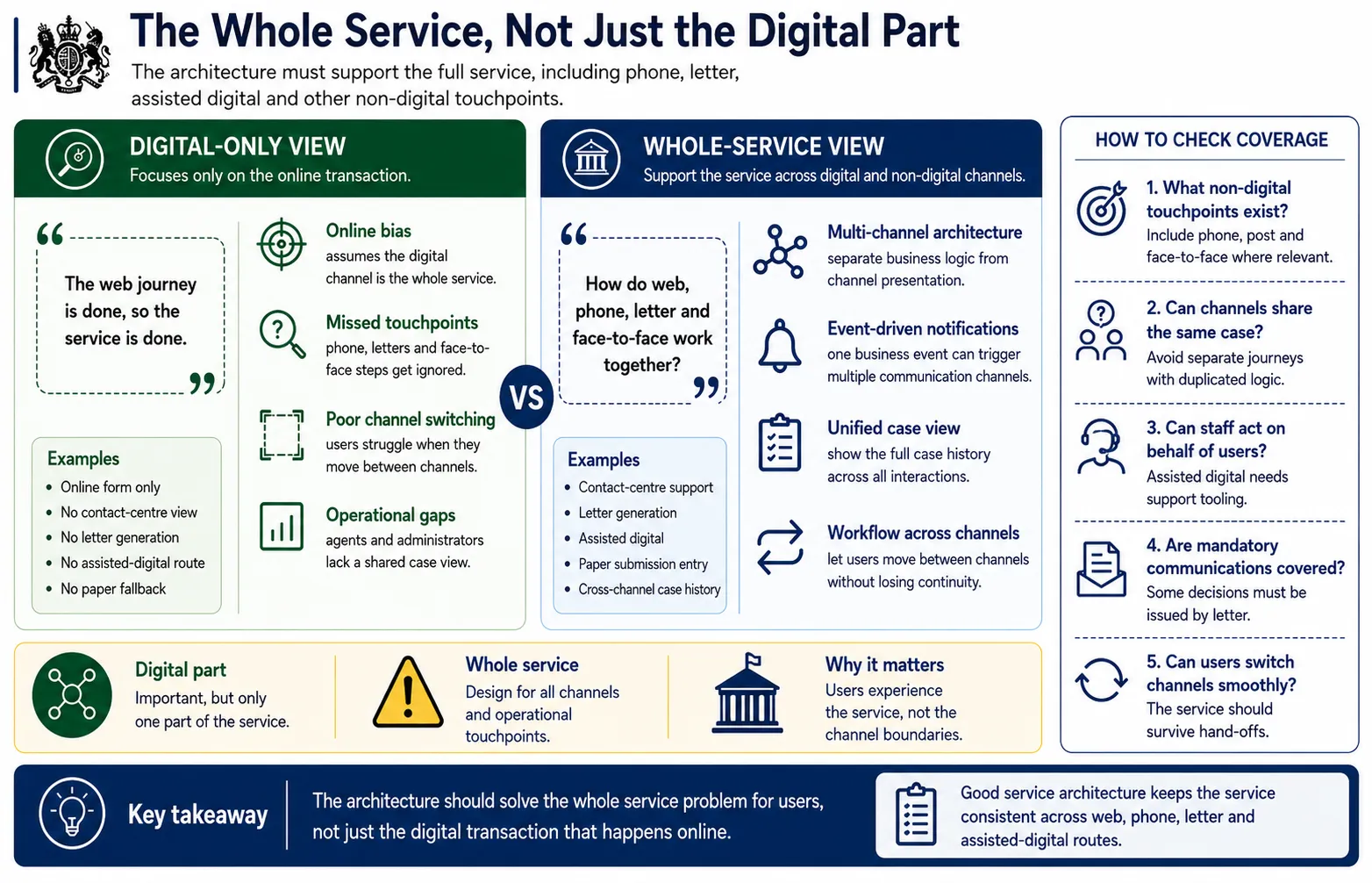
The phone calls, letters, paper forms and assisted routes the digital service still has to support.
The Service Standard asks you to solve a whole problem for users, and the whole problem is rarely confined to a screen. Plenty of people who use government services cannot or will not do everything online. They phone the helpline, they need a formal decision on paper because the law requires it, they get help from a support agent because English is their second language or the form simply defeats them. Your architecture has to hold all of it.
The pattern that pays off most is keeping the business logic and data separate from the channel, so the same eligibility rules and the same case record serve the website, the phone agent and the letter generator without three copies drifting out of step. The other one worth insisting on is a single view of the case. When someone rings the helpline, the agent should see the application they started online, the previous call, and the letter that went out last week, in one place, without flipping between four systems.
Design for the journey people actually take, which involves starting online, getting stuck, calling for help and finishing online, rather than the tidy digital path that exists only in the slide deck.
A digital service is only part of the whole service. The architecture has to carry the phone call, the letter and the paper form, not just the ideal online route.
Support model design
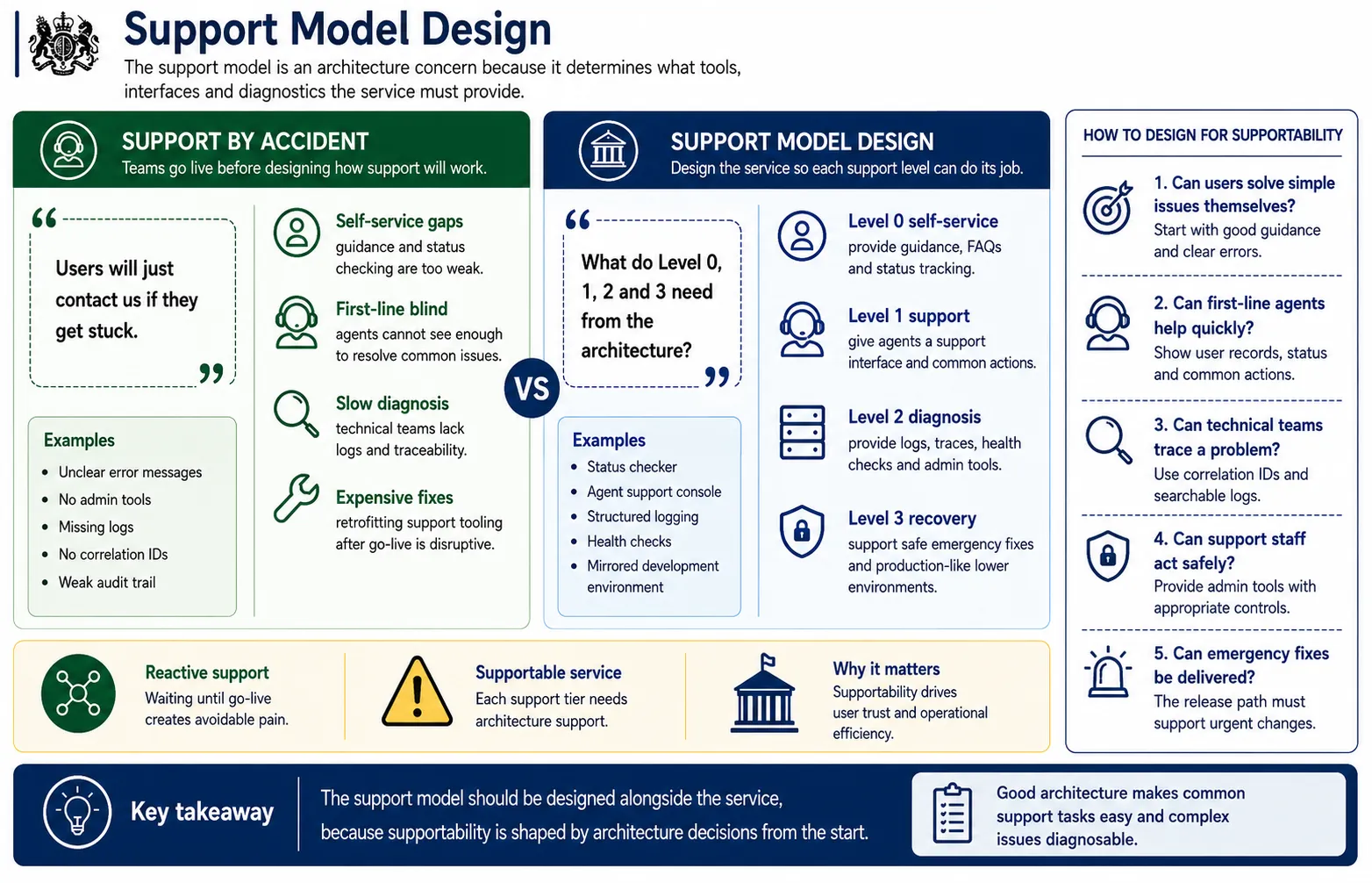
Who helps users after go live, what they need to do it, and how problems escalate.
Support is not something you bolt on once the service is live. It is a set of architecture requirements wearing a different hat. Decide early how problems get handled, because that decision tells you what to build. If first line agents are going to resolve common queries, they need a screen that shows a user's record and a small set of safe actions like resending a confirmation or correcting contact details. If second line staff are going to investigate the strange cases, they need logging they can actually search and a way to trace one user's request through every component it touched.
This is where some architecture choices come back to bite. A spread of microservices can be more flexible and considerably harder to debug at two in the morning, because the question "which service failed and where in the chain" is genuinely difficult to answer without correlation IDs threaded through the lot. Build that traceability in from the start. The teams who leave support tooling until after launch always discover the same thing: the architecture does not give the support team what it needs, and adding it later is slow, costly and disruptive to a service that is now carrying real users.
The easier a service is to diagnose and support, the safer it is to operate. Build the logs, the IDs and the escalation paths before the service goes live, not after the first incident.
Service lifecycle and architecture evolution
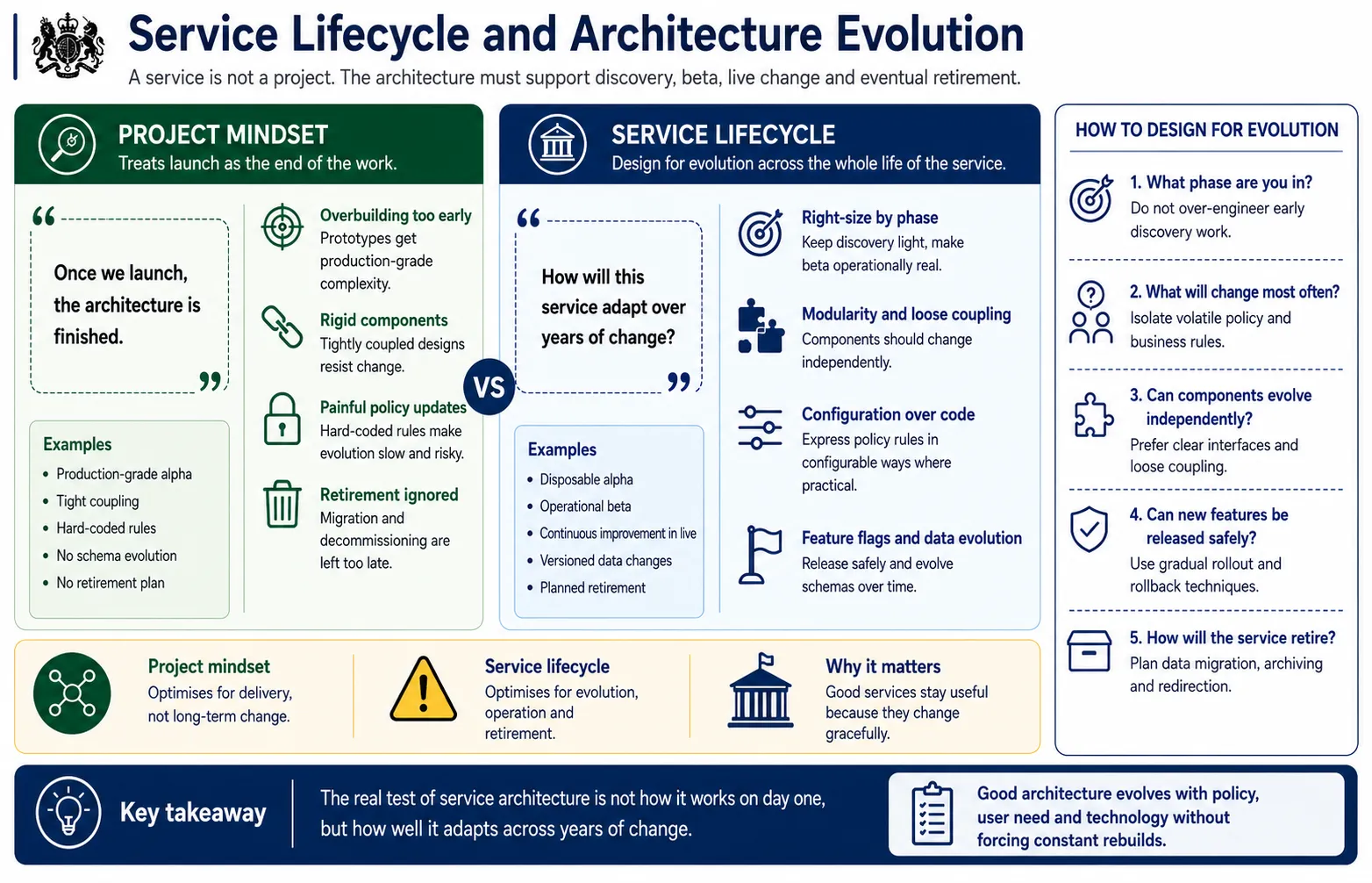
What the architecture is for in discovery, beta, live and retirement, and how to design for years of change.
A service is not a project, and the architecture that treats it like one ages badly. Government services live for years, sometimes decades, and across that span the policy changes, the user numbers grow, the technology underneath shifts and the organisation reorganises itself more than once. The architecture that earns its keep is the one that absorbs all of that without a rebuild.
In discovery and alpha, keep things light and disposable, because you are testing whether the service idea holds, not building the thing that lasts. Beta is where the real decisions get made and written down. Live is where the work becomes running it well and changing it safely. And retirement, the phase everyone forgets, is where data has to be archived or migrated and users moved to whatever replaces the service, so plan for it at the start rather than improvising it under pressure later.
The single most useful habit is keeping policy rules out of the code. When the eligibility threshold changes because a minister announced it, and it will, you want to edit a configuration value, not raise a change request that ships through three environments over a fortnight.
The test of good service architecture is not how well it works on day one. It is how gracefully it copes with the policy change, the demand spike and the technology shift that are all coming.
Bringing it all together: the service architecture view
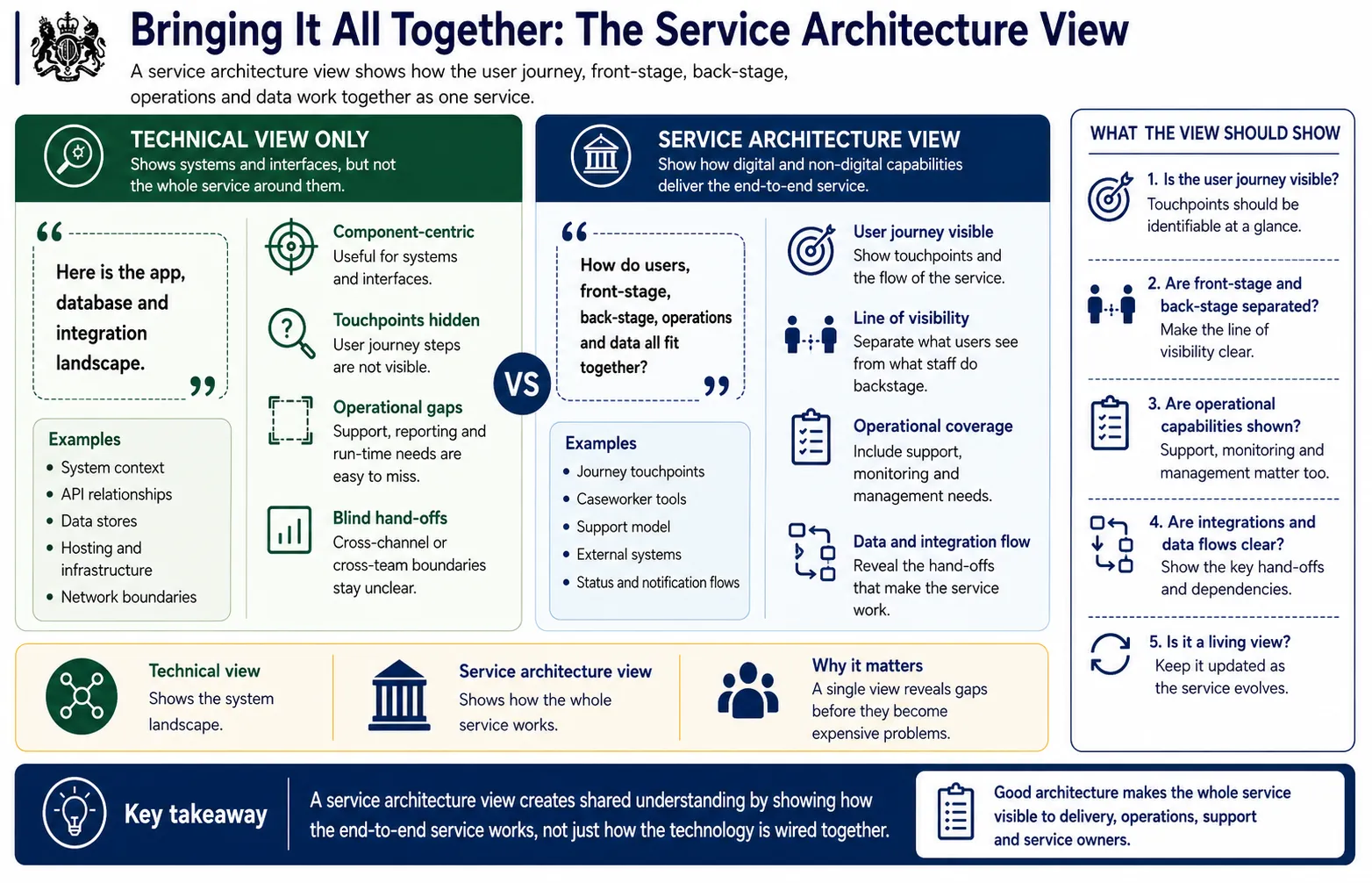
One artefact that shows the journey, the front stage, the back stage, the integrations and the operations in a single picture.
A technical diagram shows you the systems and how they connect, and it is genuinely useful, but it hides the things this guide has been about: the touchpoints, the non digital channels, the operational tooling, the parts of the service that are not a box with an API. A service architecture view puts them back. It runs the user journey across the top, hangs the front stage components under each touchpoint, draws the line of visibility, and shows the back stage, the integrations and the operational capabilities underneath.
Its real value is that it makes omissions visible before they get expensive. You can see, at a glance, the touchpoint with no component behind it, the operational need with no tool, the handoff between systems that nobody owns. Build it with the whole team in the room, not just the developers, because the operations lead, the support manager and the policy owner all need to recognise the service in it.
And keep it alive. In government, where people rotate through teams faster than the services they run, a current answer to "how does this service actually work" is worth more than almost any other artefact you will produce.
The service architecture view makes the whole service visible in one place, and the gaps it exposes are far cheaper to fix on the diagram than in production.