
Security, privacy and trust by design
Security and privacy get treated as things you check near the end, when they should be shaping decisions from the first whiteboard sketch. In government the stakes make that worse, because you are handling citizens' data and public money, and a failure becomes a headline rather than a private embarrassment. This guide is about making security and privacy part of how you design, not a gate you clear before go live.
You'll come away with:
- How to treat security as a design constraint rather than a late testing activity
- A practical, lightweight way to threat model a government service
- How data classification drives the controls your architecture actually needs
- How to embed privacy and DPIA thinking into design decisions
- Identity, access and zero trust patterns that suit public services
Secure by design: what it means for architects
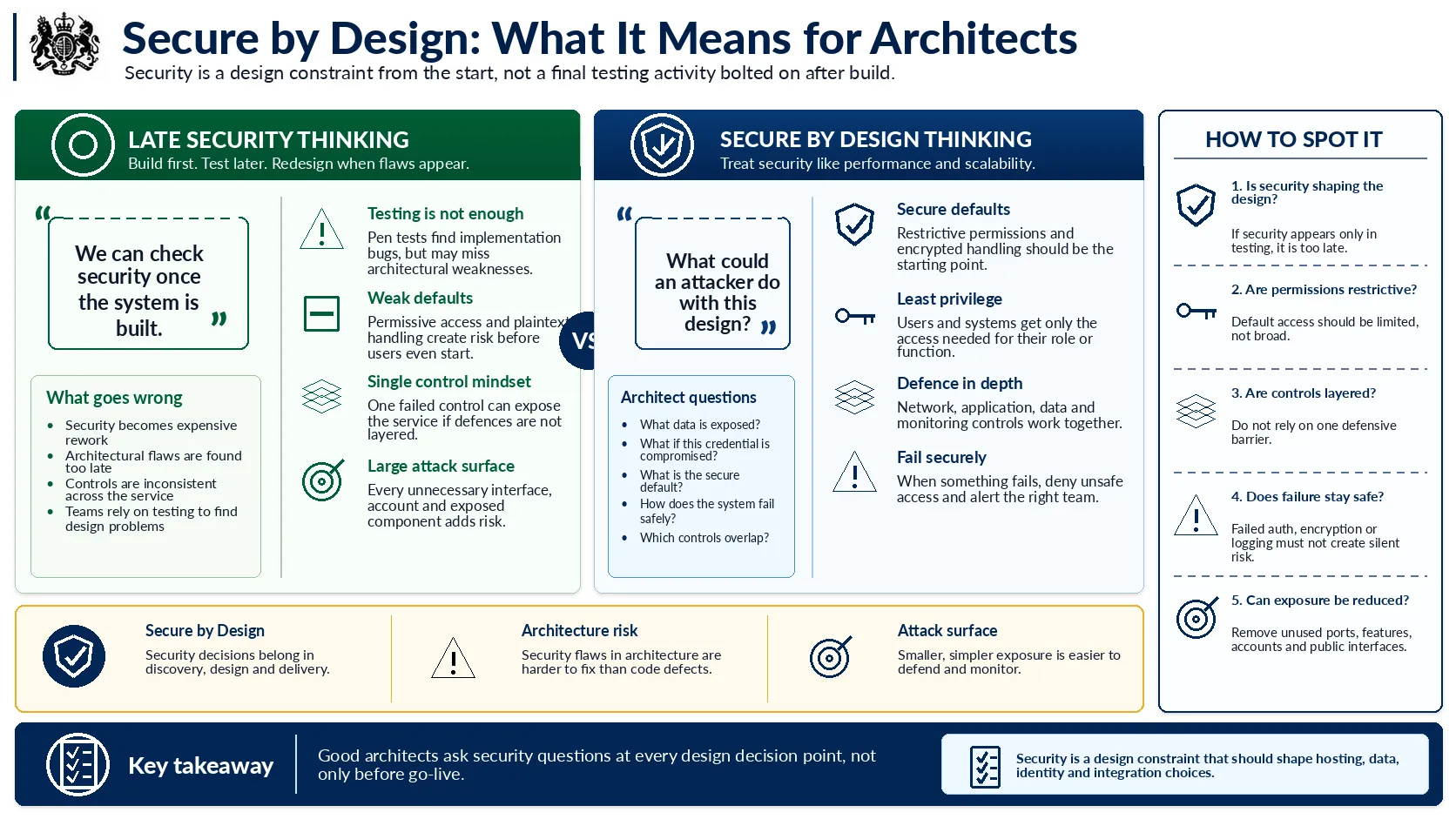
Why security has to shape the design, not just test it at the end.
The cheapest security flaw is the one you catch on a whiteboard. The most expensive is the one a penetration test finds three weeks before go live, because by then it is baked into the data model and the only honest fix is a redesign nobody has time for. That gap is the whole argument for secure by design. Pen testing is good at catching implementation bugs like injection flaws and missing headers, but it rarely catches the architectural mistakes: a database every service can write to, an audit log that can be quietly edited, an access model that made sense for ten users and falls apart at ten thousand. Those decisions get made early and without much ceremony, which is exactly why security needs to sit in the room when you choose hosting, shape the data model and pick how people authenticate. Ask what an attacker would do with each component while it is still cheap to change the answer.
Security is a design constraint, the same as performance or accessibility. If it only shows up in testing, you have already lost the cheap options.
Threat modelling for government services
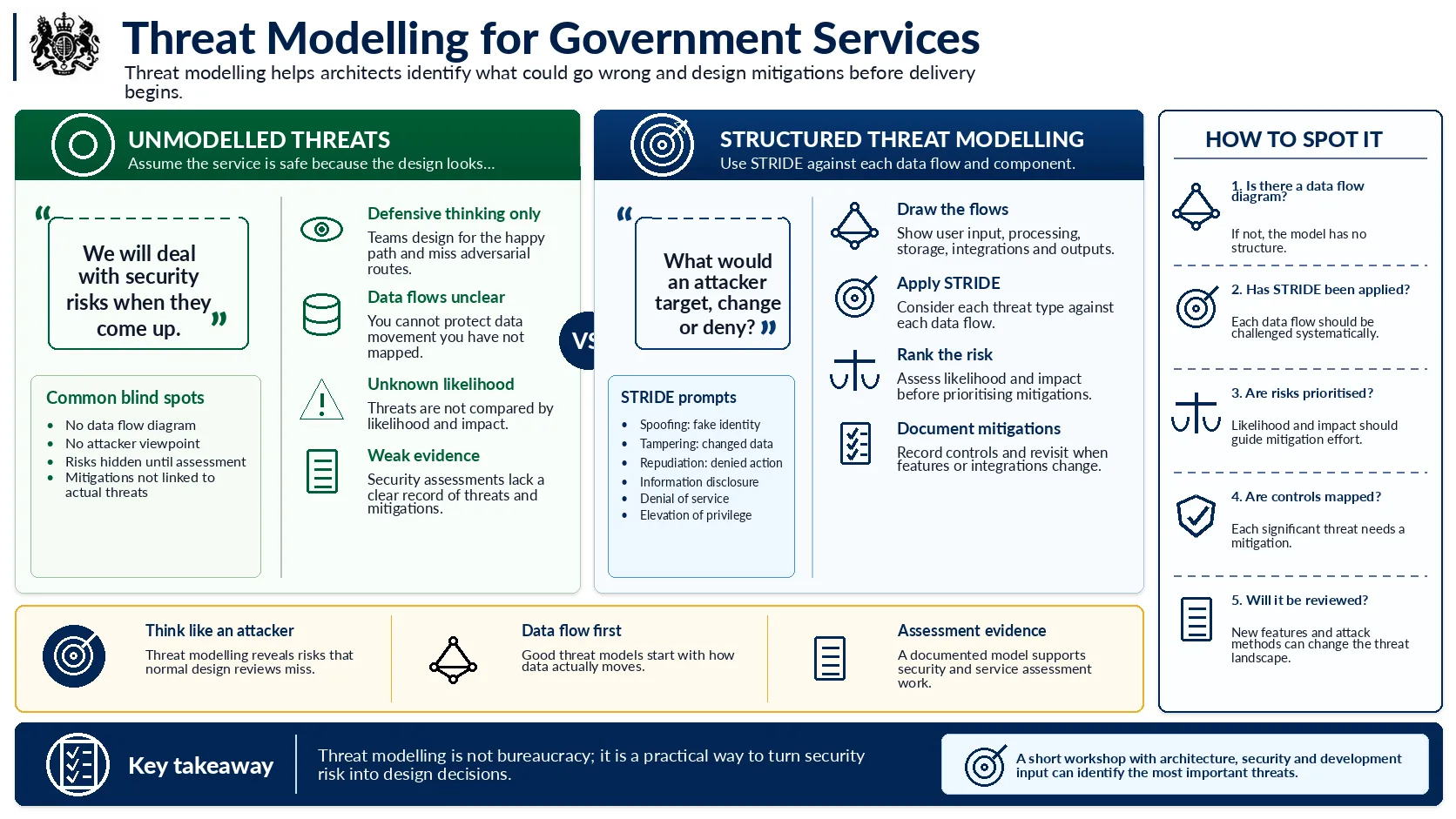
A lightweight way to find what could go wrong before it does.
Threat modelling has a reputation for being a heavyweight process owned by a specialist team, and that reputation puts people off doing it at all. It does not need to be any of that. At its simplest it is a couple of hours with a whiteboard, your architect, a developer and someone from security, working through how data actually moves and asking what an attacker would want to do at each step. STRIDE gives you the prompts so you are not relying on inspiration: could someone pretend to be another user, change data in flight, deny they did something, see data they should not, knock the service over, or quietly give themselves more access than they are owed. The real value is in the adversarial habit. Defensive thinking designs the happy path, and an attacker has no interest in the happy path. The documented output earns its keep later too, because it is the evidence a service assessor or security reviewer asks for when they want proof you thought about this properly.
You cannot defend against a threat you have never named. An afternoon spent thinking like an attacker is worth more than a folder of policy documents.
Data classification in government
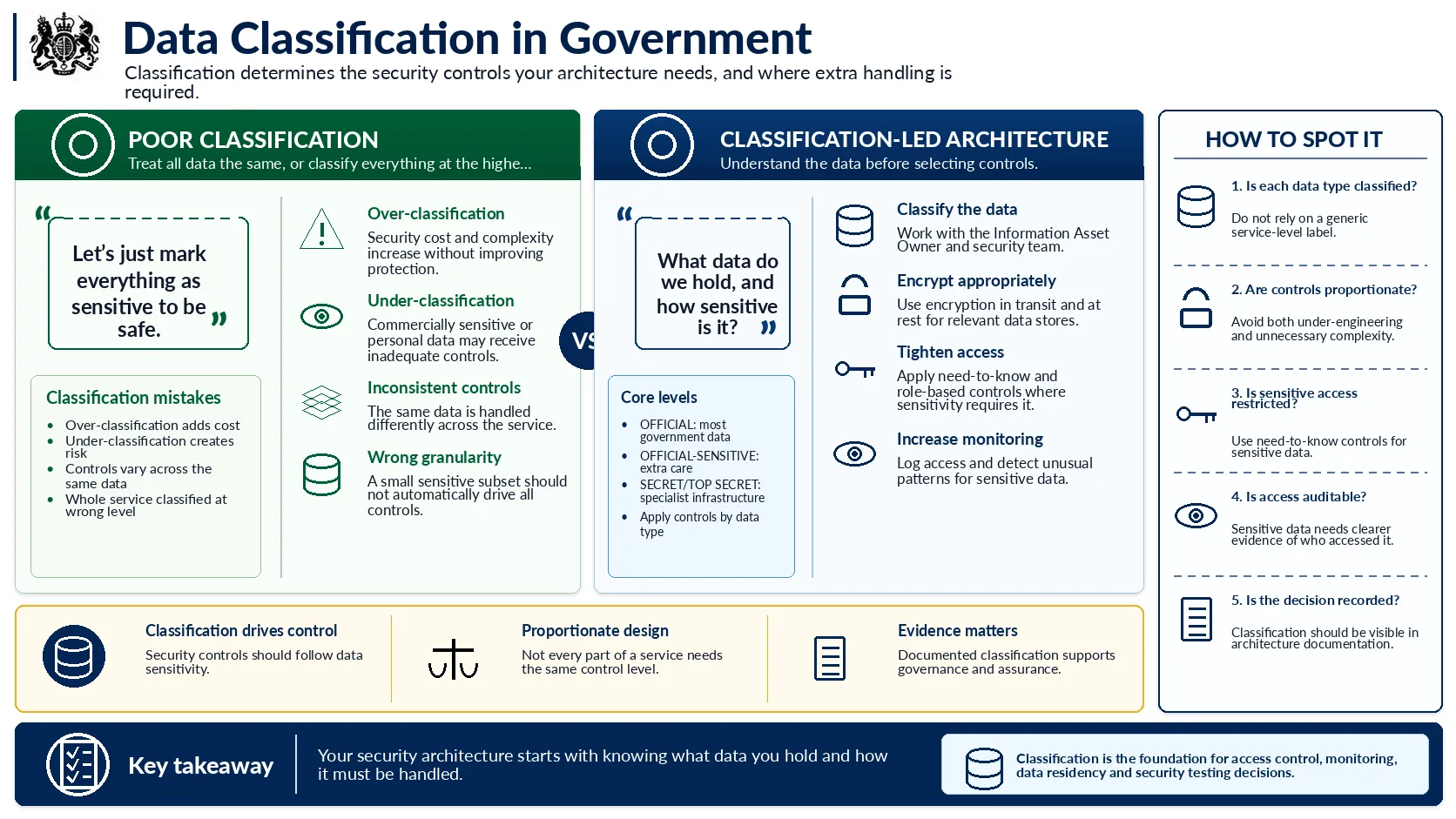
How the classification of your data sets the controls around it.
Classification is the quiet decision that sets the cost and shape of everything else in your security architecture, and it is the one people most often get wrong by reflex. The reflex is to mark everything as sensitive to be safe, which feels responsible and is really just expensive. Most government data is plain OFFICIAL and needs sensible, standard controls. OFFICIAL SENSITIVE is a handling caveat for the data that would cause harm if it leaked, things like health records, criminal history or a company's bid figures, and it earns the extra access controls, audit and monitoring that come with it. The trap to watch is granularity. A service that handles mostly OFFICIAL data with a small sensitive subset should protect that subset properly, not drag every component up to the same level because that was easier than thinking about it. Settle the classification with the information asset owner before you design controls, because everything downstream hangs off it, from encryption to data residency to how hard your IT Health Check is going to be.
Your security architecture starts with one honest question: what data do we actually hold, and how much of it is genuinely sensitive?
Privacy by design and DPIA awareness
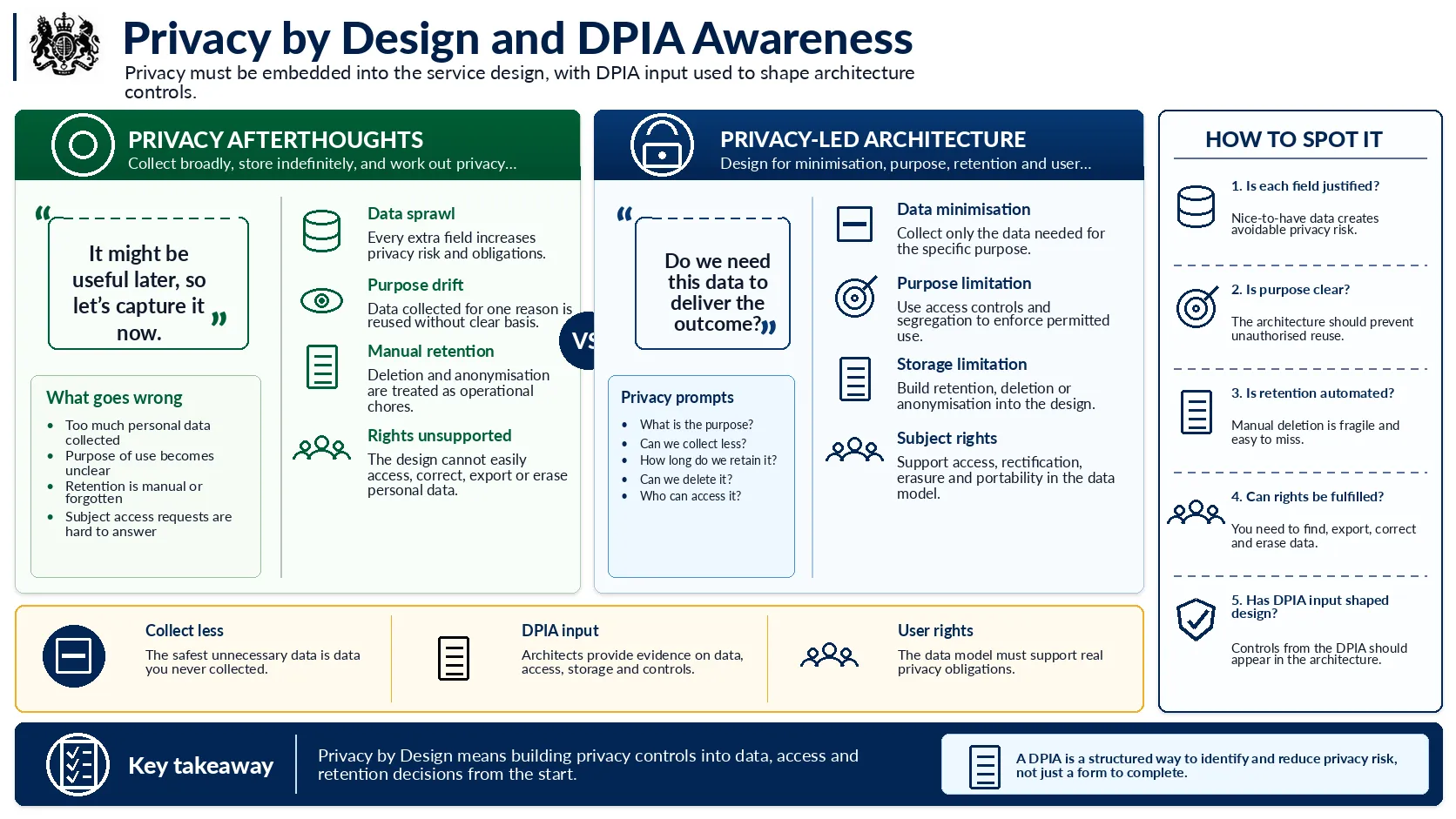
Building privacy into data, access and retention from the start.
Privacy is mostly won or lost in decisions that look boring at the time. The strongest move you have is collecting less, because the safest data is the field you never asked for. When a stakeholder wants an extra field because it might be useful later, that is the moment to ask what specific purpose it serves and whether the outcome works without it. The same discipline applies to how long you hold things. Retention is an architecture decision, not an operational chore you bolt on afterwards, so build deletion or anonymisation into the design and let it run automatically when the clock runs out. Subject rights are the part people forget until a request lands: if someone asks for everything you hold on them, can you find it, export it and erase it, or does your data model turn that into a manual archaeology project? A DPIA is where a lot of this gets pinned down, and it is far more useful than its reputation as paperwork suggests. Treat it as a structured way to surface privacy risks early, give it real technical input on what you collect and where it lives, then make sure the controls it identifies actually appear in the build.
The safest piece of personal data is the one you decided not to collect. Everything you do keep, you have to protect, justify and be able to hand back.
Identity and access patterns
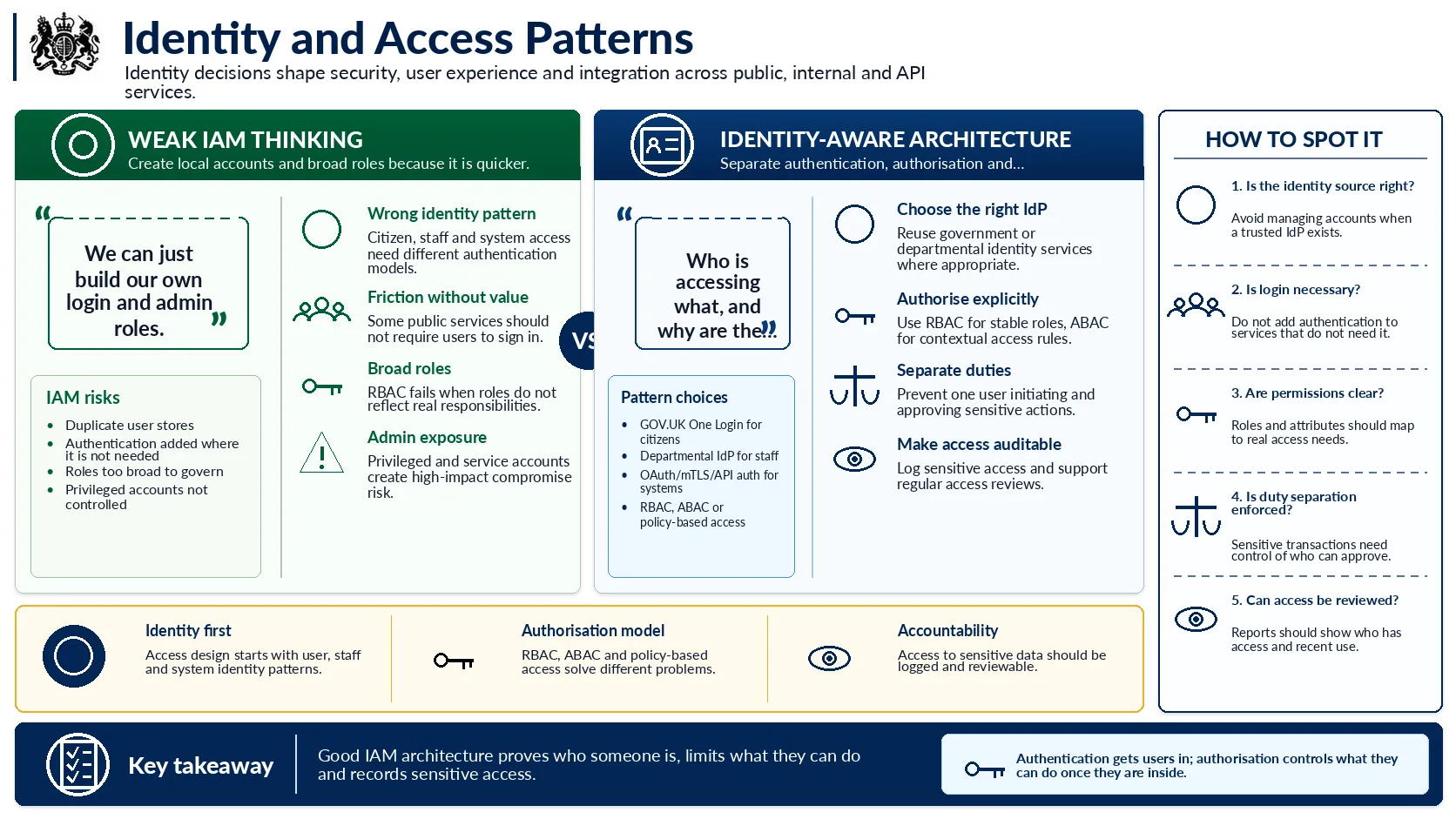
How identity decisions shape security, experience and integration.
Identity is one of those decisions that quietly shapes your security, your user experience and half your integration work, so it rewards some thought up front. The first instinct of a team under pressure is to build their own login and roll their own admin roles because it feels quicker, and it almost always leaves behind a duplicate user store and a pile of risk that someone else inherits. For citizen facing services, GOV.UK One Login already solves identity verification and authentication, including the awkward parts like document checking, so reuse it. For internal users, integrate with the departmental identity provider rather than minting your own accounts. Keep authentication and authorisation clearly separate in your head: one proves who someone is, the other decides what they are allowed to do once they are in. RBAC handles stable, well understood roles, and ABAC is the one to reach for when access depends on context, like a caseworker who should only see applications from their own region. And do not add a login to a service that has no need of one, because a public eligibility checker with a mandatory account is friction with no security payoff.
Authentication gets people through the door. Authorisation decides which rooms they can walk into. Confusing the two is how services end up either leaky or unusable.
Zero trust introduction
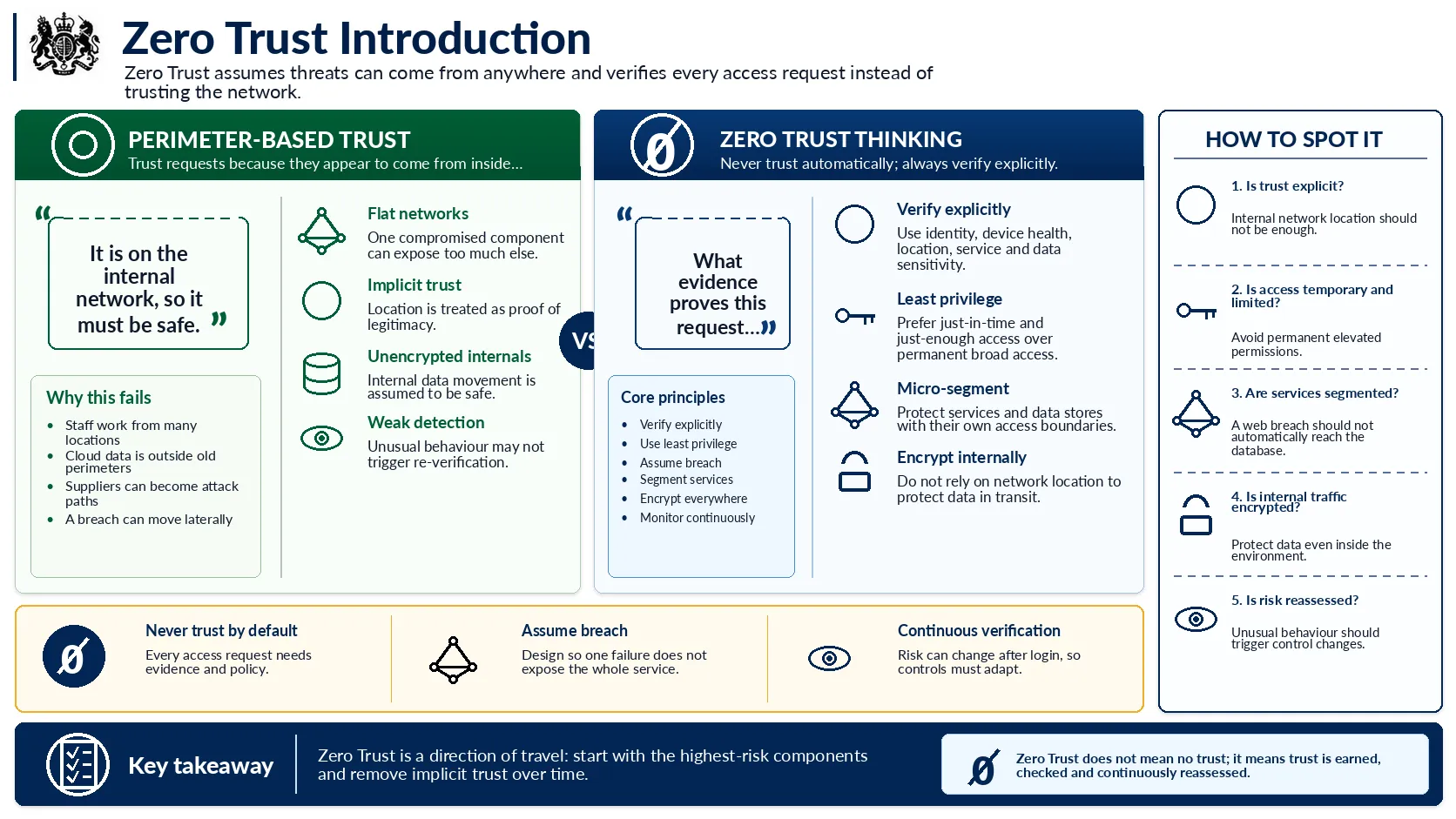
Verifying every request instead of trusting the network.
The old model trusted anything inside the network and treated the perimeter as the wall that kept attackers out. That model has been quietly falling apart for years. Staff work from home and from other buildings, data sits in cloud services well outside any departmental network, and trusted suppliers have turned out to be a dependable way in. Zero trust starts from the opposite assumption: a request being on the internal network proves nothing, so verify every one of them on its own merits using identity, device health, location and what is actually being accessed. The mindset that matters most here is assume breach. Design as though an attacker is already inside, segment the architecture so a compromised web tier cannot stroll straight into the database, and encrypt data internally rather than trusting the network to keep it private. Nobody flips a switch and becomes zero trust on a Tuesday. It is a direction of travel, so start with your highest risk components and chip away at the implicit trust over time.
Zero trust does not mean trusting nothing. It means trust is earned, checked and reassessed, never assumed because of where a request happened to come from.
NCSC guidance and government security standards
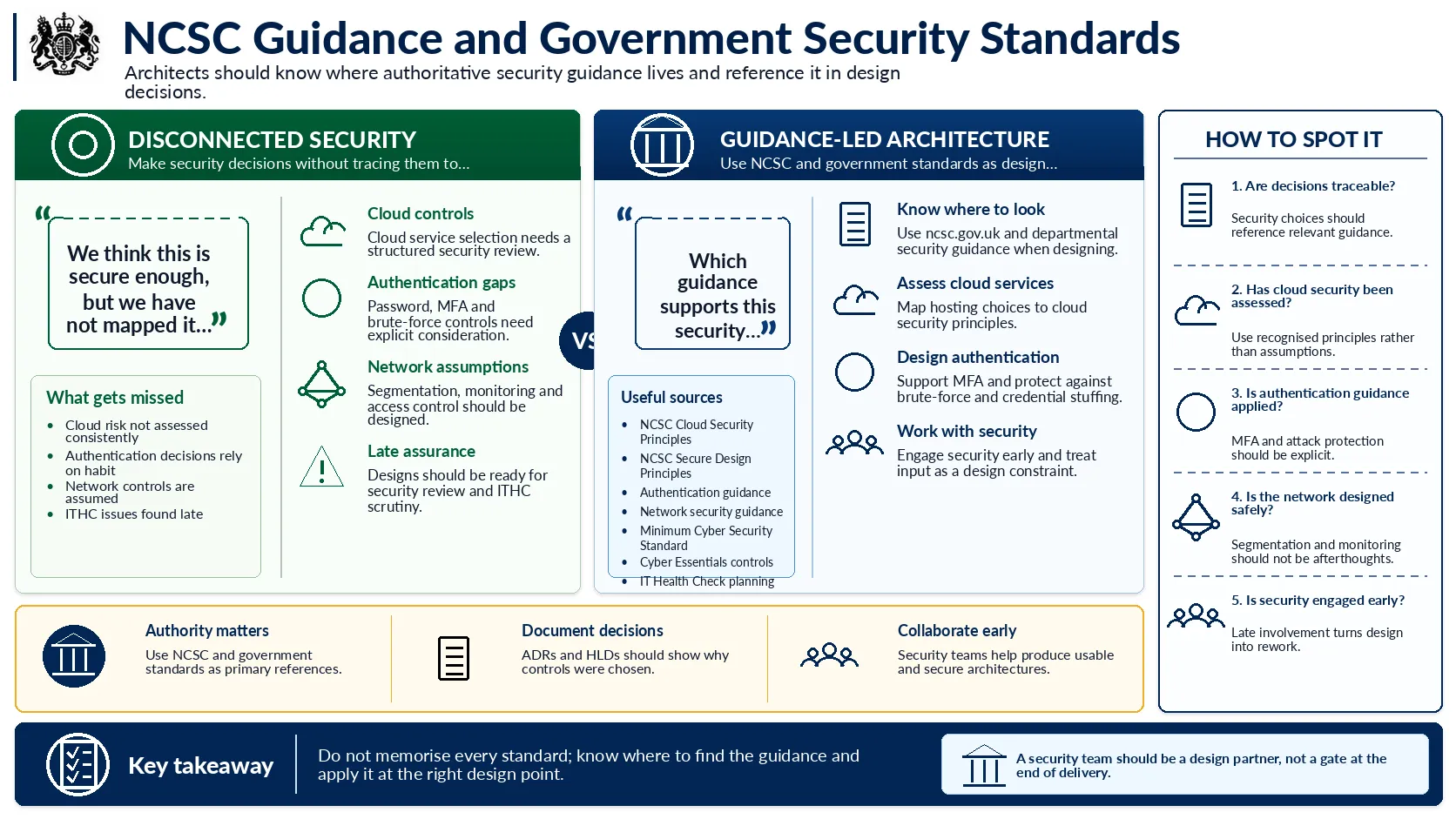
Where authoritative guidance lives and how to use it in design.
Nobody expects you to carry the NCSC's entire library in your head, and trying to is a waste of effort. What matters is knowing the guidance exists, knowing where it lives, and reaching for it at the point you are making a security relevant decision rather than after the fact. When you are choosing a cloud platform, the NCSC Cloud Security Principles give you a structured way to assess it instead of trusting a vendor's reassurance. When you are designing authentication, the guidance is refreshingly sensible: support multifactor, protect against brute force and credential stuffing, and stop enforcing the arbitrary password complexity rules that irritate users without making anything safer. Reference the guidance you relied on in your ADRs and HLDs so the reasoning is traceable later. The bigger shift is how you treat the security team. Bring them in early and treat their input as a constraint that makes the design better, and you get something secure and usable. Keep them at arm's length until the end and they become a gate that turns your architecture into rework. They are a design partner, not the people who say no at the finish line.
Do not memorise the standards. Know where they live, reach for them at the right moment, and make the security team a partner rather than a checkpoint.
Bringing security and privacy together in architecture
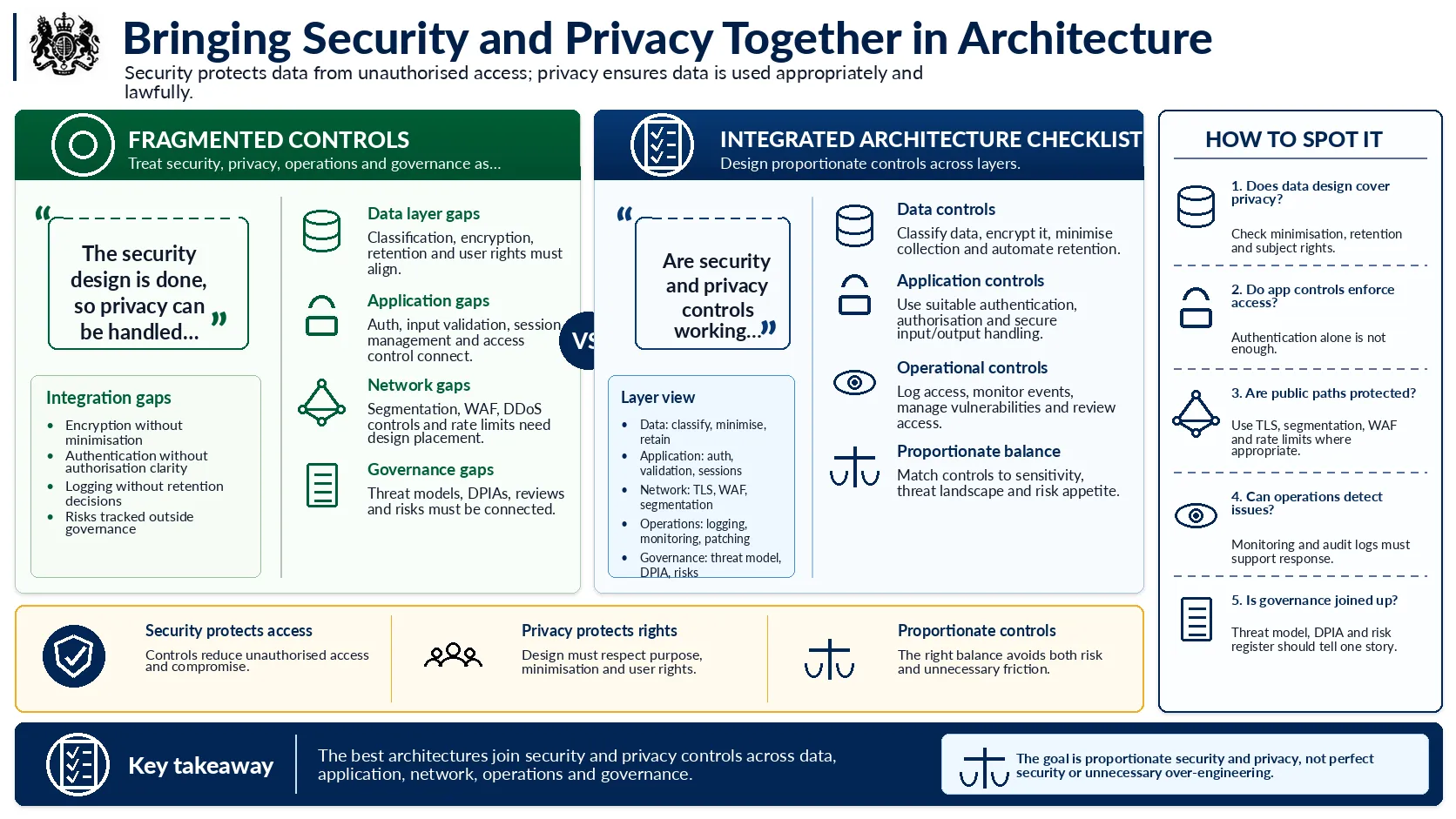
Joining security and privacy across every layer of the architecture.
Security and privacy get talked about together so often that it is worth keeping the distinction clear. Security keeps data away from people who should not have it. Privacy makes sure the data you are entitled to hold is used properly and that people keep their rights over it. Good architecture has to do both, and the practical way to check you are doing both is to walk the design layer by layer. Is the data classified, encrypted, minimised and set to delete itself when its time is up? Does the application authenticate appropriately, authorise with least privilege and validate what users send it? Is traffic encrypted in transit, is the public facing edge protected, is the internal network segmented where that actually earns its keep? Are you logging who did what and when, and is anyone watching those logs? Do your threat model, DPIA and risk register tell the same story rather than three unconnected ones? The aim is never perfect security, which does not exist. It is proportionate security, matched to how sensitive the data really is and what the organisation can sensibly carry. Over engineer it and you burn money and create friction. Under engineer it and you carry risk you cannot see. Finding that balance is the job.
Perfect security is a myth, and chasing it just wastes money. Proportionate security, matched to the data and the real risk, is the thing worth designing for.